Windows Vista Starter Free Download
Windows Vista Starter is a lightweight version of the Windows Vista operating system, developed by Microsoft. It was designed specifically for low-spec computers and emerging markets that needed a simplified and affordable operating system.
Many users worldwide rely on low-cost hardware, Microsoft introduced Windows Vista Starter to provide essential computing functions while maintaining the familiar Windows interface.Furthermore, Windows Vista Starter focused on delivering core features without significantly impacting system resources.
Unlike other versions of Windows Vista, this edition was intentionally limited to ensure efficient performance on computers with limited memory and processing power. As a result, users with older or low-cost machines could access modern Windows features such as enhanced security, system stability, and basic multimedia support.
Windows Vista Starter also aimed to introduce new users to Windows in a simple and user-friendly way. While it lacked some of the advanced features found in higher-end Vista versions, it provided a stable platform for everyday tasks such as web browsing, document work, and file management.
Key Features of Windows Vista Starter:
It includes several essential features that enable users to perform basic computing tasks efficiently. Despite its simplicity, it offers a range of useful tools.
1. Simplified User Interface:
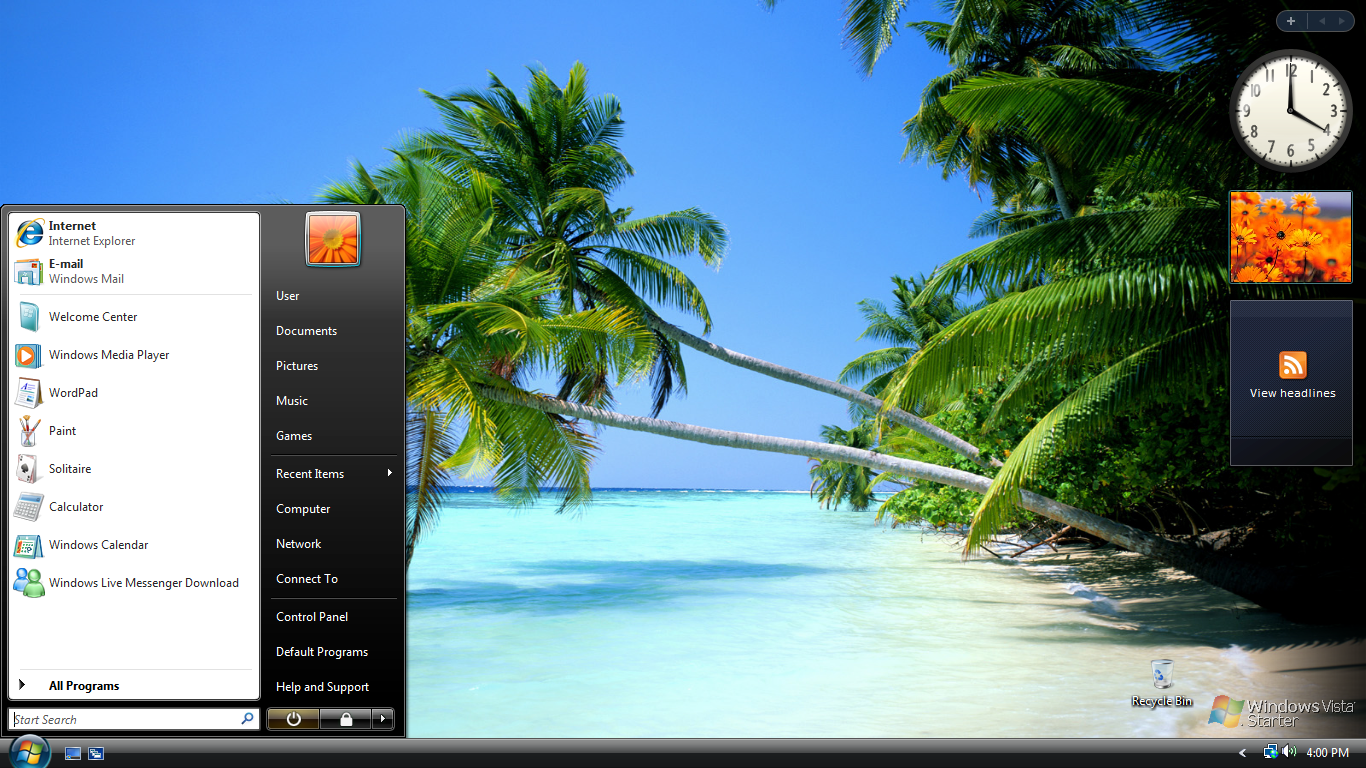
It features a simplified user interface, specifically designed for beginners. Because the system avoids resource-intensive graphics effects, it runs smoothly on low-spec machines. Users can navigate menus, manage files, and open applications without experiencing significant performance issues.
2. Enhanced Security Tools:
Another important feature is the inclusion of enhanced security tools. For example, Windows Vista Starter includes the Windows Firewall and security updates that help protect the system from malware and cyber threats. As a result, even novice users benefit from improved protection compared to previous operating systems.
3. Basic Networking Capabilities:
It also allows users to connect to local networks and the internet. This means they can share files, access online services, and communicate with others through various applications. Therefore, the operating system supports the basic connectivity of modern computing.
4. Windows Search Functionality:
It includes a built-in search function. Thanks to this feature, users can quickly locate files, folders, and programs within the system. As a result, everyday tasks, such as searching for documents or opening applications, become more efficient.
5. Parental Controls:
Another useful feature is parental controls. This feature allows parents or administrators to monitor and manage computer usage. For example, they can restrict access to certain programs or control internet usage. This makes the system more suitable for family environments.
6. Windows Defender:
It also includes Windows Defender, which helps detect and remove spyware. As a result, users can better maintain system security and protect their personal data from unwanted threats.
What’s New in Windows Vista Starter:
Although Windows Vista Starter is a simplified version, it offers several improvements compared to previous Windows Starter editions.
Improved Security Architecture:
First, It has a more robust security architecture in all its editions, including the Starter edition. For example, User Account Control (UAC) helps prevent unauthorized changes to the system. As a result, the operating system reduces the risk of malware infection.
Improved File Management:
It improves file management with an updated Windows Explorer interface. Users can organize documents, pictures, and other files more easily. Furthermore, the built-in search function allows for faster access to stored information.
Improved System Stability:
Another important improvement is system stability. Compared to previous versions of Windows, such as Windows XP Starter, Windows Vista Starter includes improved file management.
You can also Download:
System Requirements for Windows Vista Starter:
Before installing Windows Vista Starter, it is essential to ensure that your computer meets the minimum system requirements.
Minimum System Requirements:
- Processor: 800 MHz processor or faster
- RAM: 512 MB of RAM
- Hard Disk Space: 20 GB hard drive with at least 15 GB of free space
- Graphics Card: DirectX 9 compatible graphics card
- Monitor: 800 x 600 screen resolution
- Optical Drive: DVD-ROM drive for installation
- Internet Connection: Required for updates and some features
Since It is designed for low-end computers, these requirements are relatively low compared to other editions of Windows Vista.
Additional Features and Limitations:
Limited Multitasking:
One of the most notable features of Windows Vista Starter is its limited multitasking capabilities. Although multiple applications can run simultaneously, the system is optimized for basic use. Therefore, resource-intensive or demanding applications may not run efficiently.
Basic Customization Options:
Furthermore, Windows Vista Starter offers limited customization options. While users can change wallpapers and basic settings, it lacks the advanced visual features available in other editions.
Focus on Education and Beginners:
Windows Vista Starter is specifically designed for educational environments and novice users. Therefore, the system prioritizes simplicity and ease of use over advanced features.
Compatibility with Essential Applications:
The operating system is compatible with many standard Windows applications, such as word processors, web browsers, and media players. Therefore, users can perform common tasks without needing high-end system specifications.
Frequently Asked Questions:
1. What is Windows Vista Starter?
It is a basic edition of Windows Vista, designed for computers with modest specifications and for emerging markets.
2. Who is Windows Vista Starter aimed at?
The operating system was primarily aimed at beginner users, students, and people with low-cost computers.
3. Is Windows Vista Starter compatible with modern software?
Some older applications may work; however, many modern programs require newer versions of Windows.
4. Is Windows Vista Starter still supported?
No. Microsoft officially ended support for Windows Vista in April 2017. Therefore, the system no longer receives updates or security patches.
5. What are the main limitations of Windows Vista Starter?
The main limitations include fewer features, limited multitasking capabilities, and fewer customization options compared to other versions of Vista.
Homepage: https://windowstan.info/
2 comments