
Windows for Workgroups 3.11 / 3.11a Free Download
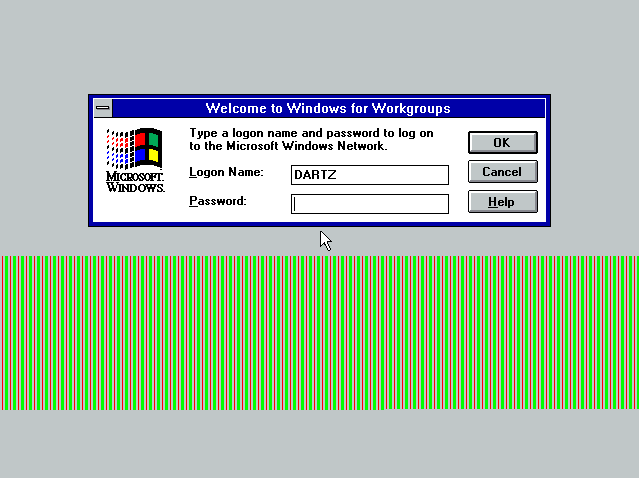
Windows for Workgroups 3.11, or WFW 3.11 for short, marked a significant milestone in the early development of networking-enabled operating systems. Developed by Microsoft, this version built upon the success of Windows 3.x and introduced integrated networking capabilities.
As a result, it enabled users to share files, printers, and resources without the need for additional software. Furthermore, Windows for Workgroups 3.11 was designed to simplify communication and collaboration in the workplace.
As companies were migrating to networked environments, this operating system offered an effective and affordable solution. Consequently, it quickly gained popularity among small and medium-sized businesses seeking to improve their productivity.
The release of WFW 3.11 also represented a significant step towards integrating networking into operating systems. Unlike previous versions that required separate networking tools, this version included everything necessary for peer-to-peer networks.
Key Features of Windows for Workgroups 3.11:
Windows for Workgroups 3.11 introduced several important features that improved usability and functionality.
Built-in Network Support:
One of the most notable features was built-in network support. Users could easily connect multiple computers to share files and printers, eliminating the need for external networking software.
Peer-to-Peer Networking:
Unlike server-based systems, Windows for Workgroups 3.11 supported peer-to-peer networking. Therefore, any computer on the network could act as both a client and a server simultaneously.
Improved File and Printer Sharing:
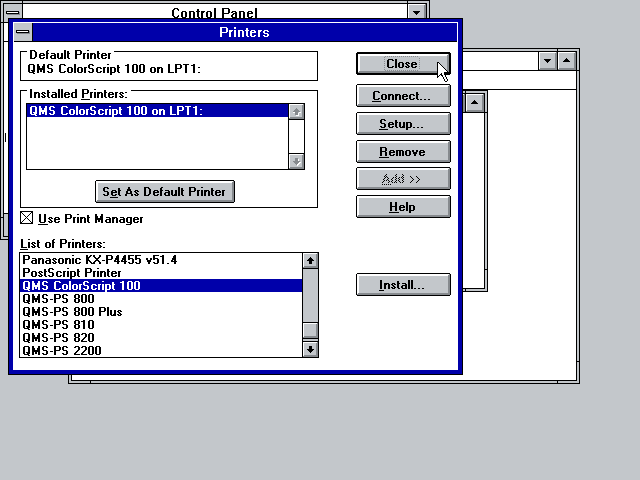
Furthermore, the operating system enabled seamless file and printer sharing across the network, significantly improving work efficiency.
32-bit File Access:
While remaining a predominantly 16-bit system, it introduced 32-bit file access. As a result, disk performance improved, allowing applications to run faster.
Greater Stability:
Compared to previous versions of Windows 3.x, Windows Workgroups 3.11 offers greater stability, making it more reliable for everyday business operations.
Network Driver Support:
It also includes support for a wide range of network adapters, allowing businesses to easily integrate it into their existing hardware configurations.
What’s New/Latest Updates?
Windows Workgroups 3.11 includes several improvements over its predecessor, version 3.1.
Integrated Network Protocol Suite:
Unlike Windows 3.1, Windows Workgroups 3.11 includes an integrated network protocol suite. As a result, users no longer need MS-DOS-based networking tools.
Improved Performance:
The introduction of 32-bit file access improves system speed, resulting in faster file operations and better responsiveness.
Improved Network Reliability:
In addition, network connections are more stable and easier to set up, making it ideal for office environments.
Upgrade to version 3.11a:
Version 3.11a includes minor bug fixes and device compatibility improvements, providing a smoother user experience.
You may also Download: Windows NT 3.1
System Requirements:
At launch, Windows for Workgroups 3.11 required mid-range hardware specifications.
Minimum Requirements:
- Processor: Intel 80286 or higher.
- RAM: 4 MB minimum (8 MB recommended).
- Storage: Approximately 20-30 MB of free disk space.
- Monitor: VGA compatible monitor.
- Network Adapter: Required for networking functions.
Recommended Requirements:
- Processor: Intel 80386.
- RAM: 8 MB or more.
- Storage: 40 MB or more.
These requirements made the system accessible to many businesses in the early 1990s.
Advantages and Disadvantages:
Advantages:
- Built-in network support
- Easy file and printer sharing
- Improved performance with 32-bit file access
- Cost-effective solution for small businesses
- Greater stability than previous versions
Disadvantages:
- Generally limited 16-bit architecture
- Requires manual network configuration
- Not suitable for modern applications
Limited security features compared to previous versions Later Versions
Additional Features and Capabilities:
Windows for Workgroups 3.11 includes several additional features that enhance its usability.
Email and Collaboration Tools:
It includes essential email and messaging tools, enabling users to communicate within the network.
Network Setup Wizard:
While simple by today’s standards, the setup process has been improved, making network configuration easier.
DOS Compatibility:
The system maintains strong compatibility with MS-DOS applications, allowing businesses to continue using existing software.
Workgroup Management:
Users can organize computers into workgroups. This feature has contributed to more organized and efficient network management.
Print Queue:
In addition, the print queue feature allowed for the efficient management of multiple print jobs, improving workflow.
Frequently Asked Questions:
What was Windows for Workgroups 3.11 used for?
It was used to connect computers in offices, allowing file and printer sharing.
What is the difference between versions 3.11 and 3.11a?
Version 3.11a included minor bug fixes and compatibility improvements.
Did it require a server?
No, it supported peer-to-peer networking, so it did not require a dedicated server.
Is Windows for Workgroups 3.11 still relevant today?
No, it is obsolete, but it is important for understanding the evolution of networking.
Can it run modern software?
No, it only supports software designed for older Windows environments.
Conclusion:
Windows for Workgroups 3.11 was a pioneering operating system that brought networking capabilities within reach of everyday users. While it may seem obsolete today, its contribution to the development of modern networking systems is undeniable. It not only facilitated communication between computers, but also made networks accessible to businesses.
Homepage: windowstan.info
Post Comment