Windows 11 KB5019509 Free Download
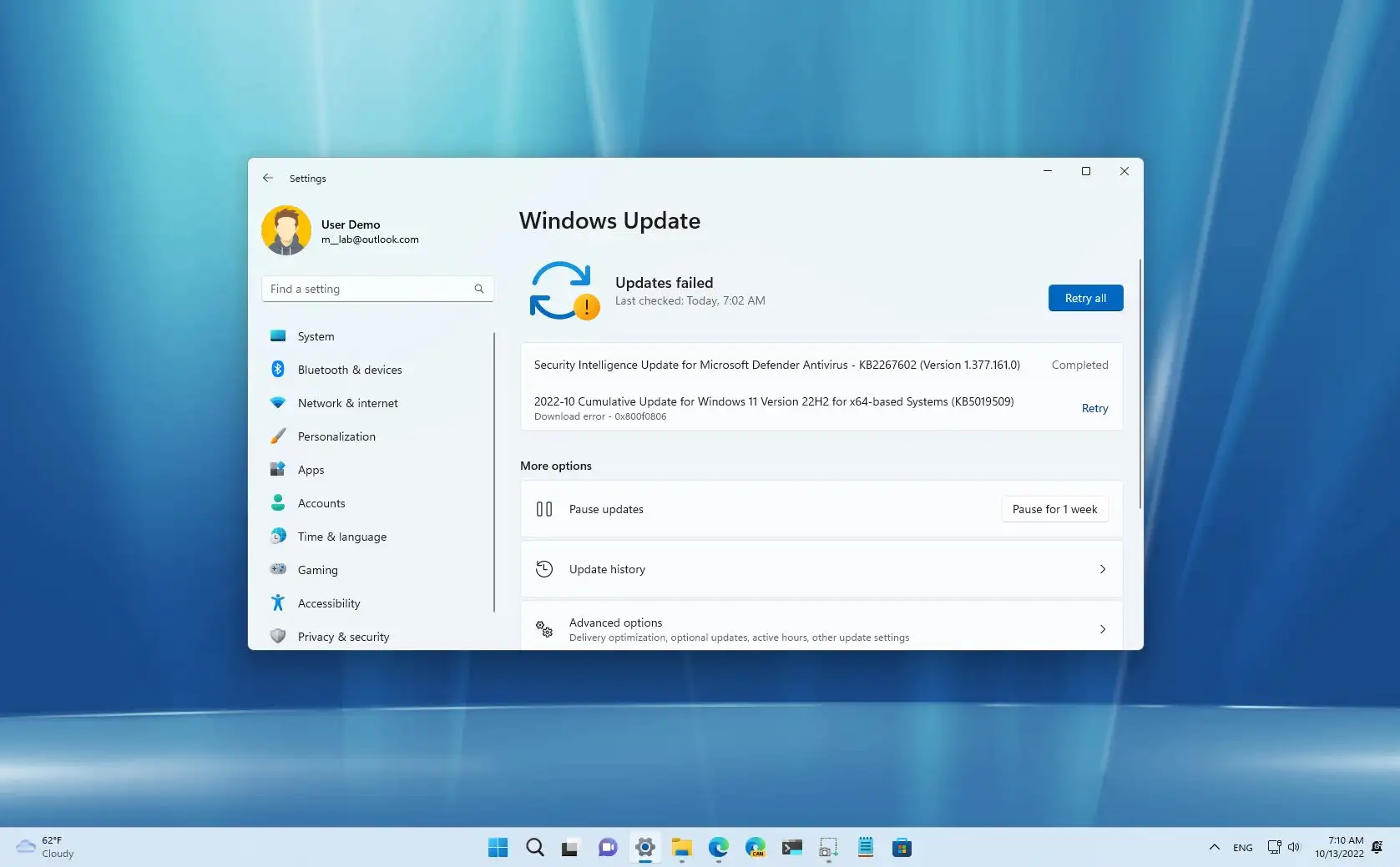
Windows 11 update KB5019509 is a major update released by Microsoft. Unlike traditional cumulative updates, this update delivers functional improvements and comprehensive system updates, making it an ideal choice for users seeking increased productivity and a smoother user experience.
The KB5019509 update also plays a pivotal role in enhancing the usability of the operating system. While previous updates focused primarily on stability and security, this update introduces features specifically designed to meet user needs, representing a significant leap towards a more flexible and efficient Windows environment.
This update also reflects Microsoft’s commitment to continuous improvement. By responding to user feedback and enhancing core functionality, the KB5019509 update ensures that Windows 11 remains competitive and relevant. As a result, users benefit from improved multitasking, enhanced system efficiency, and a more user-friendly interface.
Key Features of Windows 11 Update KB5019509:
File Explorer Tabs for Improved Navigation:
One of the most significant features introduced in update KB5019509 is File Explorer tabs. Just like in modern web browsers, users can now open multiple folders in a single window. As a result, navigation becomes faster and more organized.
Improved Additional Menu in the Taskbar:
Furthermore, the additional menu feature in the taskbar ensures users can access all running applications even when the taskbar is full. This keeps system navigation smooth and efficient.
Integration of Suggested Actions:
Another innovative feature is Suggested Actions. When users copy text, such as phone numbers or dates, Windows offers relevant options, such as calling or scheduling an appointment. This makes everyday tasks faster and more convenient.
Improved Nearby File Sharing:
Nearby File Sharing has also been improved to enable faster and more reliable file transfers between devices. As a result, collaboration and file sharing become smoother.
Performance Improvements:
In addition to new features, this update improves system speed and responsiveness. As a result, users will experience less lag and better multitasking capabilities.
What’s New/Latest Updates in KB5019509?
Productivity Features:
Unlike traditional updates, KB5019509 introduces productivity-focused tools. For example, File Explorer tabs significantly reduce the need to open multiple windows.
Improved User Interface:
Furthermore, the user interface has been improved to provide smoother animations and transitions. As a result, the user experience is much smoother.
Security Enhancements:
Microsoft has also implemented security enhancements to protect against emerging threats. As a result, users benefit from a more secure system environment.
System Stability Improvements:
This update fixes several bugs and reduces system crashes. As a result, reliability has been significantly improved.
Improved Device Compatibility:
Furthermore, compatibility with modern devices and applications has been improved, reducing compatibility issues users may encounter.
You may also Download:
System Requirements:
To install this update, your device must meet the following Windows 11 requirements:
Minimum Requirements:
- Processor: 1 GHz or higher, dual-core or higher (64-bit).
- RAM: 4 GB.
- Storage: 64 GB.
- Firmware: UEFI with Secure Boot.
- TPM: Version 2.0
- Graphics: DirectX 12 compatible.
- Display: 720p or higher.
Recommended Requirements:
- Processor: Intel Core i5 or equivalent.
- RAM: 8 GB or more.
- Storage: 128 GB SSD or larger.
- Graphics: Dedicated Graphics Processing Unit (GPU).
- Internet: Required for updates and synchronization.
Advantages and Disadvantages of Windows 11 KB5019509:
Advantages:
- Adds tabs to File Explorer.
- Improves multitasking efficiency.
- Improves system performance.
- Strengthens Security.
- Adds Productivity-focused features.
Disadvantages:
- Requires system restart.
- Some users may experience minor issues.
- It may take time to adjust to new features.
- Some features are not available globally.
Additional features and improvements:
Improved multitasking experience:
Thanks to improved window and tab management, users can manage multiple tasks more efficiently, significantly increasing productivity.
Improved notification system:
Notifications are now better organized and less intrusive, allowing users to focus on their work.
Accessibility improvements:
Accessibility features have also been improved to meet the diverse needs of users, making Windows 11 more inclusive.
Faster file processing:
Improvements to File Explorer allow for faster file access and management, saving users time on their daily tasks.
Seamless Update Process:
The update integrates seamlessly into the system, making installation quick and easy.
Frequently Asked Questions:
What is the Windows 11 KB5019509 update?
This is an important update that adds new features and improves the performance of Windows 11.
What are the main features of KB5019509?
Key features include tabs in File Explorer, suggested actions, and improvements to the taskbar.
Is this update important?
Yes, it is important because it improves system usability and security.
Can I uninstall KB5019509?
Yes, users can uninstall it through System Settings at any time.
Does it improve performance?
Yes, it improves system responsiveness and reduces latency.
Conclusion:
The Windows 11 KB5019509 update is a significant update that greatly improves the Windows 11 user experience. By introducing features such as tabs in File Explorer and enhanced multitasking tools, it provides practical benefits for everyday users.
Homepage: windowstan.info
Post Comment