Windows 10 (version 1803) April, 2018 Download
Windows 10 version 1803, also known as the April 2018 Update, was officially released in April 2018 as a major update to the Windows 10 operating system. Microsoft released this update with the goal of improving productivity, optimizing system performance, and offering better integration across devices.
As a result, Windows 10 version 1803 incorporated numerous features and improvements that significantly optimized the user experience on desktops, laptops, and tablets. Furthermore, the April 2018 Update focused on simplifying everyday computing tasks while providing intelligent tools to help users manage their activities more efficiently.
For example, the update introduced the Timeline feature, which allows users to view previously opened applications and files and resume work on them. This enables users to continue working seamlessly across different devices.
Windows 10 version 1803 also continued Microsoft’s strategy of delivering regular updates to improve the Windows environment. Instead of releasing entirely new operating systems, Microsoft has focused on continuously improving Windows 10 through updates that add new features and enhance security
Key Features of Windows 10 Version 1803:
Windows 10 version 1803 introduced a number of features designed to improve productivity, system management, and device synchronization.
Timeline Feature:
One of the most notable features added in the April 2018 Update is Timeline. This feature allows users to view a history of previously opened documents, apps, and websites. Users can easily return to previous tasks without having to manually search for files. Furthermore, Timeline integrates with Microsoft accounts, enabling synchronization across multiple Windows devices.
Focus Assistant:
Another important feature is Focus Assistant, which helps users minimize distractions while working. By turning on Focus Assist, notifications are temporarily silenced, allowing users to concentrate on their tasks without interruption. Focus Assist can also be set to activate automatically at specific times or while running apps in full-screen mode.
Improved Microsoft Edge Browser:
Microsoft Edge received several improvements in version 1803. For example, Edge introduced improved tab management, better PDF viewing capabilities, and improved performance. As a result, browsing became faster and more efficient for regular users.
Nearby Sharing:
Nearby Sharing allows users to share files, links, and photos with nearby devices using Bluetooth or Wi-Fi. This feature streamlines and simplifies file transfer between computers.
Dictation Feature:
Windows 10 version 1803 also introduced a dictation tool that allows users to convert speech to text. Now, documents, emails, or text messages can be written simply by speaking.
Updated Game Bar:
The Game Bar received an updated interface that makes it easier to record gameplay, take screenshots, and stream gameplay sessions. Gamers benefit from improved recording and streaming capabilities.
What’s New in Windows 10 Version 1803?
The April 2018 Update introduced several improvements that optimized system performance, security, and ease of use.
Schedule Integration with Microsoft Services:
Schedule is now integrated with Microsoft services, such as Office applications and web browsers. As a result, users can quickly resume work started on another device.
Improved Privacy Settings:
Microsoft redesigned the Privacy Settings control panel in version 1803. This improvement gives users greater control over how their personal data is collected and used.
Improved Windows Update Experience:
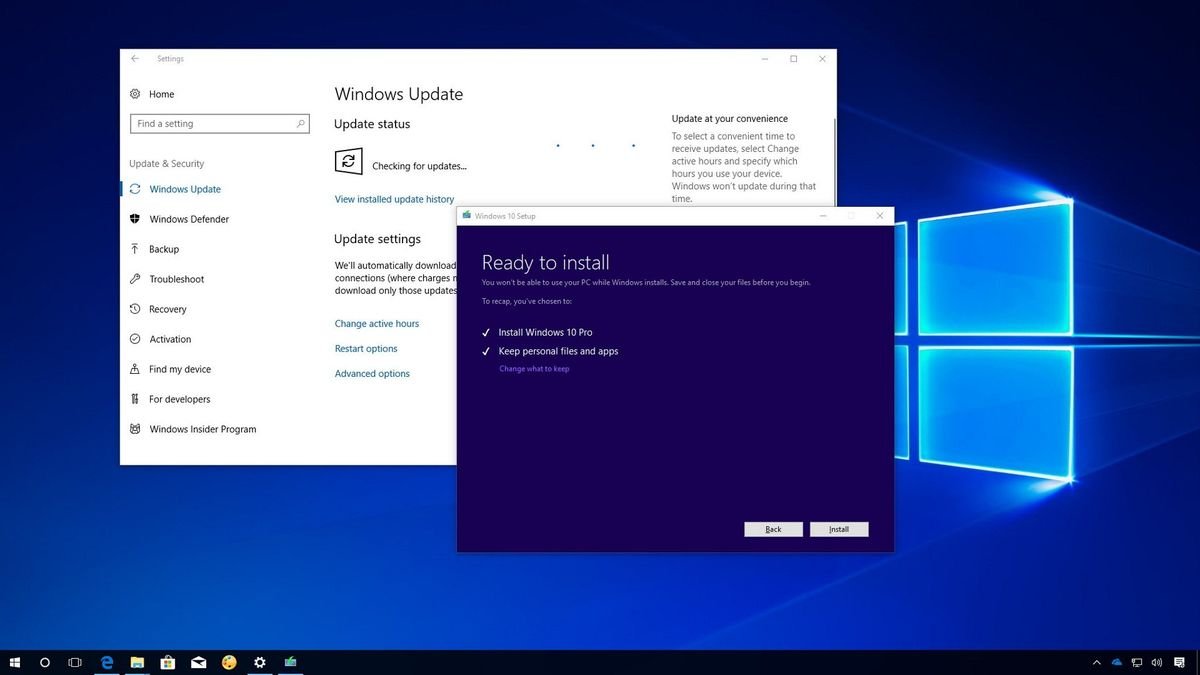
Windows Update received several improvements designed to make updates less intrusive. For example, the update process is now more efficient, and restart notification management has been improved.
HDR Display Support:
Another new improvement is enhanced HDR display support. Compatible displays offer greater color accuracy and brightness levels for multimedia content.
Progressive Web App Support:
Microsoft has added support for Progressive Web Apps (PWAs).
You may also Download:
Windows Vista Starter Download
System Requirements for Windows 10 Version 1803:
Before installing Windows 10 version 1803, users should ensure their systems meet the required hardware specifications.
Minimum System Requirements:
- Processor:
1 GHz or faster processor, or a compatible System on a Chip (SoC). - RAM:
1 GB for 32-bit systems.
2 GB for 64-bit systems. - Storage Space:
16 GB for 32-bit systems.
20 GB for 64-bit systems. - Graphics Card:
DirectX 9 or later with WDDM 1.0 driver. - Display:
800 x 600 screen resolution or higher. - Internet Connection:
Required for activation, updates, and some online features.
While these requirements are relatively low, systems with more powerful hardware will experience better performance and smoother multitasking.
Additional Features and Capabilities:
Improvement to Storage Sensor:
Windows 10 version 1803 improved the Storage Sensor feature, which helps free up disk space automatically by removing temporary files and unused data.
Updated Settings Interface:
Microsoft improved the Settings app to make system settings simpler and easier to use.
Accessibility Improvements:
Accessibility tools were improved to help users with disabilities interact more effectively with the operating system.
Faster System Performance:
The update delivered performance improvements, resulting in faster startup times and overall system responsiveness.
Enhanced Security Protection:
Microsoft improved the security capabilities of Windows Defender to provide better protection against emerging threats.
Frequently Asked Questions:
What is Windows 10 version 1803?
Windows 10 version 1803 is the April 2018 update, which introduced new productivity features such as Timeline and Focus Assistant.
Why is it called version 1803?
The version number represents the development date, in this case, March 2018.
What is Timeline?
Timeline allows users to view previously opened applications, files, and activities, making it easier to resume tasks.
What does Focus Assistant do?
Focus Assistant temporarily blocks notifications so users can concentrate on their work.
What is Nearby Share?
Nearby Share allows users to quickly share files and links with nearby devices using Bluetooth or Wi-Fi.
Is Windows 10 version 1803 still supported?
No. Microsoft discontinued support for version 1803 because it was superseded by newer updates.
Did the April 2018 update improve gaming features?
Yes. The update improved the Game Bar and added better tools to enhance game performance.
Homepage: windowstan.info
1 comment