Windows 10 (version 1809) October 2018
Windows 10 version 1809, also known as the October 2018 Update, is one of the most significant updates released for the Windows 10 operating system. Microsoft released this update in October 2018 with the primary goal of improving productivity, security, and the overall user experience.
As a result, this version introduced several new tools, user interface improvements, and performance enhancements, helping users manage their systems more efficiently. Furthermore, the October 2018 Update continued Microsoft’s strategy of delivering regular updates that expand Windows’ capabilities rather than releasing entirely new operating systems.
Thanks to this continuous development model, Windows 10 has become a more powerful and flexible platform with each update. Thus, version 1809 introduced useful productivity tools, improved system management features, and enhanced device connectivity.
Windows 10 version 1809 also introduced several improvements focused on ease of use and multitasking. For example, features like Clipboard History, Cloud Clipboard Sync, and the Your Phone app improved user interaction with files, devices, and applications. The update significantly improved workflow efficiency and modernized the Windows interface.
Key Features of Windows 10 Version 1809:
Windows 10 version 1809 introduced several important features that improved productivity, security, and overall usability.
Clipboard History:
Clipboard History is one of the most useful new features in the Windows 10 October 2018 Update. Previously, only one item could be copied at a time. Now, with this feature enabled, multiple copies can be stored and accessed later. Users can easily paste previously copied text, images, or links without having to copy them again.
Cloud Clipboard Sync:
In addition to Clipboard History, version 1809 introduced Cloud Clipboard Sync. This feature allows you to share clipboard items between multiple Windows devices connected to the same Microsoft account. This way, users can copy content from one device and paste it on another.
Dark Mode for File Explorer:
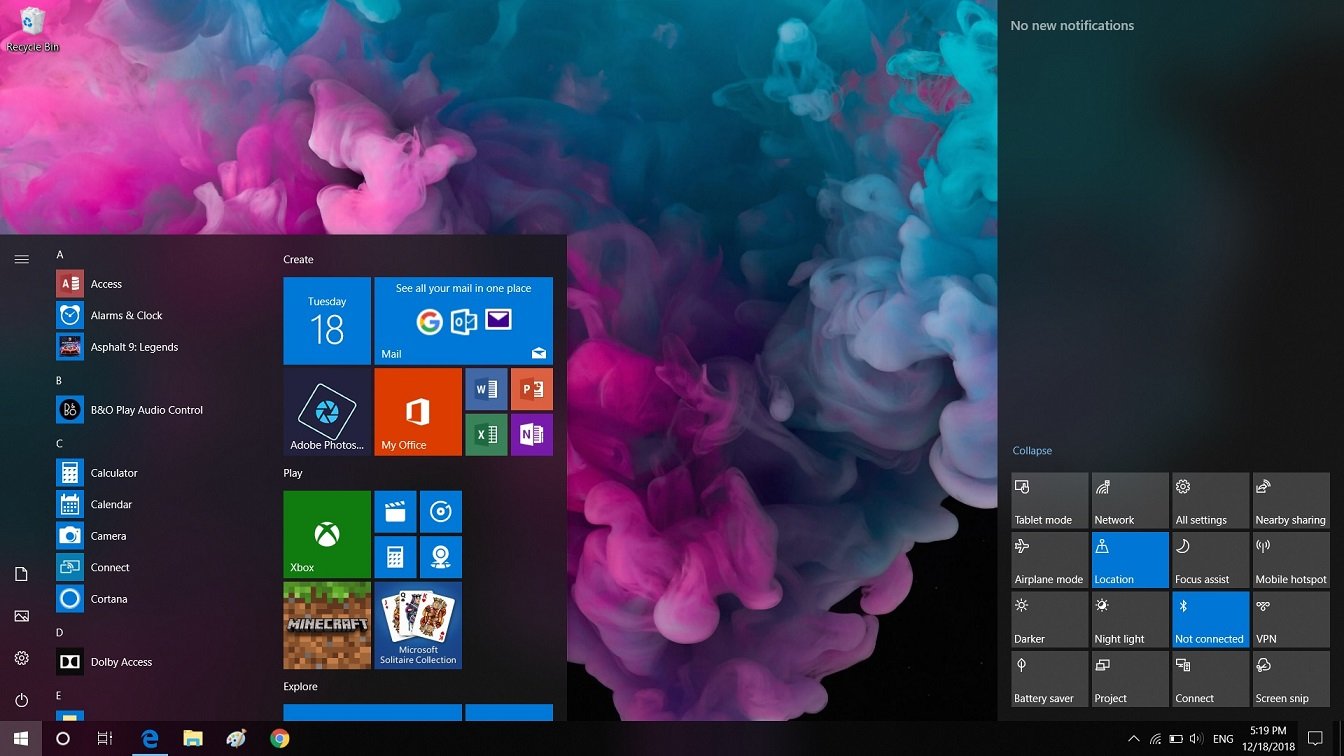
Another significant improvement in this update is Dark Mode for File Explorer. While previous versions of Windows supported dark themes for some applications, File Explorer retained its bright theme. This update provides a uniform dark interface across the entire system. As a result, users experience less eye strain, especially during extended computer use.
Your Phone App:
The Your Phone app was introduced to more effectively connect smartphones with Windows PCs. Thanks to this integration, users can access phone notifications, send text messages, and view photos directly from their computers. This feature creates a seamless experience between mobile devices and Windows systems.
Snipping Tool:
Windows 10, version 1809, also introduced the Snipping Tool, which replaced the traditional Snipping Tool. This updated application allows users to quickly capture, edit, and instantly share screenshots. It simplifies the process of creating and managing screenshots.
Improved Search Interface:
Microsoft redesigned the Windows search interface in version 1809. With this improvement, search results are now more clearly categorized into apps, documents, and system settings. As a result, users can find information more quickly and efficiently.
What’s New in Windows 10 Version 1809?
The October 2018 Update introduced several improvements that optimized system functionality and the overall user experience.
Storage Sense Improvements:
Microsoft improved Storage Sense, which automatically removes unnecessary temporary files and system clutter. This allows users to manage disk space more efficiently without manual cleanup.
Windows Defender Security Enhancements:
The update introduced several improvements to Windows Defender Security Center. These improvements include more robust threat detection, ransomware protection, and better system monitoring. As a result, systems running version 1809 benefit from enhanced security protection.
You may also Download:
System Requirements for Windows 10 version 1809:
Before installing Windows 10 version 1809, please ensure your hardware meets the system requirements.
Minimum System Requirements:
- Processor:
1 GHz or faster processor, or a compatible System on a Chip (SoC). - RAM:
1 GB for 32-bit systems.
2 GB for 64-bit systems. - Storage Space:
16 GB for 32-bit systems.
20 GB for 64-bit systems. - Graphics Card:
DirectX 9 compatible graphics card with WDDM 1.0 driver. - Display:
800 x 600 resolution or higher. - Internet Connection:
Required for activation, updates, and some online features.
While these requirements are relatively modest, systems with more advanced hardware will perform significantly better.
Additional Features and Capabilities:
Improved Font Management:
Windows 10 version 1809 introduced enhanced font management tools, allowing users to install and manage fonts more easily through the Settings app.
Updated Settings App:
Microsoft continued to improve the Settings interface, making system settings more organized and easier to use.
Accessibility Improvements:
Accessibility tools, such as Narrator and text zoom, were improved to support users with visual impairments.
Faster System Updates:
Microsoft simplified the update process to reduce installation time and improve update reliability.
Enterprise Security Enhancements:
Businesses benefited from additional enterprise-specific security policies, helping them manage their devices more securely.
Frequently Asked Questions:
What is Windows 10 version 1809?
Windows 10 version 1809 is the October 2018 Update, which introduced features such as Clipboard History, Cloud Clipboard, and Dark Mode in File Explorer.
Why is it called version 1809?
The version number represents the development timeline, in this case, September 2018.
What is Clipboard History?
Clipboard History allows users to save and access multiple copied items using a keyboard shortcut.
What does the Your Phone app do?
The Your Phone app connects smartphones to Windows PCs, allowing users to access messages, photos, and notifications.
Did version 1809 add dark mode to File Explorer?
Yes. Windows 10, version 1809, added support for dark mode to File Explorer.
Is Windows 10, version 1809, still supported?
No. Microsoft discontinued support for version 1809 because newer Windows updates replaced it.
What replaced the Snipping Tool?
Windows 10, version 1809, introduced the Snipping Tool, which replaced the traditional Snipping Tool.
Homepage: windowstan.info
Post Comment