Windows 10 (version 1511) Free Download
Windows 10 version 1511, also known as the November Update, was the first major feature update released for Windows 10. Microsoft released it on November 12, 2015, a few months after the original Windows 10 launch. With significant improvements and new features, version 1511 played a pivotal role in the early stages of Windows 10 development.
Furthermore, Windows 10 version 1511 was designed to enhance the user experience that debuted with the original Windows 10 release. Microsoft focused on improving performance, refining the user interface, and adding new functionality throughout the system.
As a result, the update delivered notable improvements to features such as the Start menu, Microsoft Edge browser, Cortana digital assistant, and system settings.
Version 1511 also represented Microsoft’s new “Windows as a Service” strategy. Instead of releasing entirely new operating systems every few years, Microsoft began providing regular feature updates that continuously improve the system.
Key Features of Windows 10 version 1511:
Windows 10 version 1511 introduced several features and improvements that enhanced the system’s usability, productivity, and performance.
Improved Start Menu:
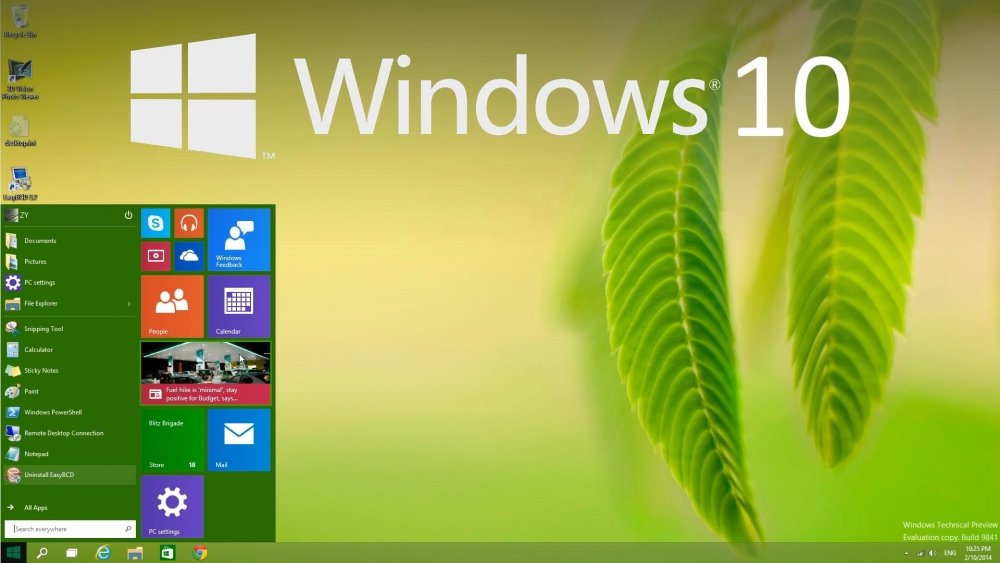
One of the most notable improvements was the updated Start Menu. With this update, users could add a fourth column of icons, allowing more apps and shortcuts to be displayed in the menu. Additionally, the number of pinned icons increased significantly, making the Start Menu more customizable and useful.
Improved Microsoft Edge Browser:
Another key improvement was the updated Microsoft Edge browser. It included new features such as tab preview, which allows users to preview open tabs by hovering their mouse over them. Edge also offered improvements in performance, stability, and compatibility with modern websites.
Cortana Improvements:
Windows 10 version 1511 also improved the Cortana digital assistant. Cortana added extra features, such as event tracking and cross-device notifications. As a result, users can manage reminders, appointments, and tasks more efficiently.
Skype Integration:
Another important feature is the integration of Skype’s messaging, video, and audio calling applications directly into the system. This allows users to communicate more easily without needing to install additional third-party software.
Activation Improvements:
Version 1511 simplified the Windows activation process. Users upgrading from Windows 7 or Windows 8.1 can now activate Windows 10 using their existing product keys. This makes the upgrade process smoother and easier.
Tablet Mode Improvements:
Microsoft improved Tablet Mode, designed specifically for touch-enabled devices. These improvements made navigation easier and allowed users to switch between desktop and tablet environments more efficiently.
What’s New in Windows 10 Version 1511?
Windows 10 version 1511 introduced several improvements that enhanced the overall operating system experience.
First Major Update to Windows 10:
Version 1511, also known as Threshold 2, was the first major update to Windows 10. It introduced several improvements to system performance, user interface design, and built-in apps.
Improved Settings App:
Microsoft continued to move system settings tools from the traditional Control Panel to the Settings app. As a result, users could more easily manage system preferences, personalization options, and device settings.
Performance and Memory Improvements:
The update included further improvements to the memory management system. These improvements enhanced system responsiveness and reduced resource consumption. Consequently, teams were able to run applications more efficiently.
User Interface Improvements:
Version 1511 also included several visual changes, such as improved icons, redesigned context menus, and updated address bars. As a result, the operating system became more consistent and visually modern.
Media Streaming Support:
Microsoft Edge added media streaming support, allowing users to stream content.
You can also Download:
System Requirements for Windows 10 Version 1511:
To install Windows 10 version 1511, your computer must meet the following minimum hardware requirements:
Minimum System Requirements:
- Processor:
1 GHz or faster processor, or system-on-a-chip (SoC). - Random Access Memory (RAM):
1 GB for 32-bit systems.
2 GB for 64-bit systems. - Storage Space:
16 GB of available space for 32-bit systems.
20 GB of available space for 64-bit systems. - Graphics Card:
DirectX 9 compatible graphics card with WDDM 1.0 driver. - Display:
800 x 600 resolution or higher. - Internet Connection:
Required for updates and some system features.
While these requirements are modest, higher-specification hardware significantly improves system performance and responsiveness.
Additional Features and Capabilities:
Windows Store Improvements:
Windows 10 version 1511 improved the Windows Store, making it easier for users to discover and install apps. As a result, developers were able to distribute apps more effectively across the Microsoft platform.
OneDrive Integration:
The update continued to enhance OneDrive cloud integration, allowing users to store and sync files across multiple devices.
Multitasking Improvements:
The multitasking features and Settings Assistant in Windows 10 were improved to help users organize open windows more efficiently.
Universal Windows Platform:
Version 1511 continued to expand support for the Universal Windows Platform (UWP). This platform allows developers to create apps that run on multiple Windows devices, including PCs, tablets, and mobile devices.
Improved Device Activation:
Another improvement was device activation. Because the system can store activation information online, reinstalling Windows 10 on the same device is now easier.
Frequently Asked Questions:
1. What is Windows 10 version 1511?
Windows 10 version 1511 was the first major update to the Windows 10 operating system and was released in November 2015.
2. Why is it called version 1511?
The number 1511 refers to the year and month of release: November 2015.
3. What is the build number of Windows 10 version 1511?
The build number for this version is 10.0.10586.
4. When was Windows 10 version 1511 released?
It was officially released to the public on November 12, 2015.
5. Is Windows 10 version 1511 still supported?
No. Microsoft ended support for this version in October 2017, with a brief period of continued support for enterprises.
6. What are the most significant improvements in version 1511?
The update improved the Start menu, Microsoft Edge browser, Cortana features, activation system, and overall system performance.
Homepage: windowstan.info
1 comment