
Windows XP Professional Edition x86 (32-bit)
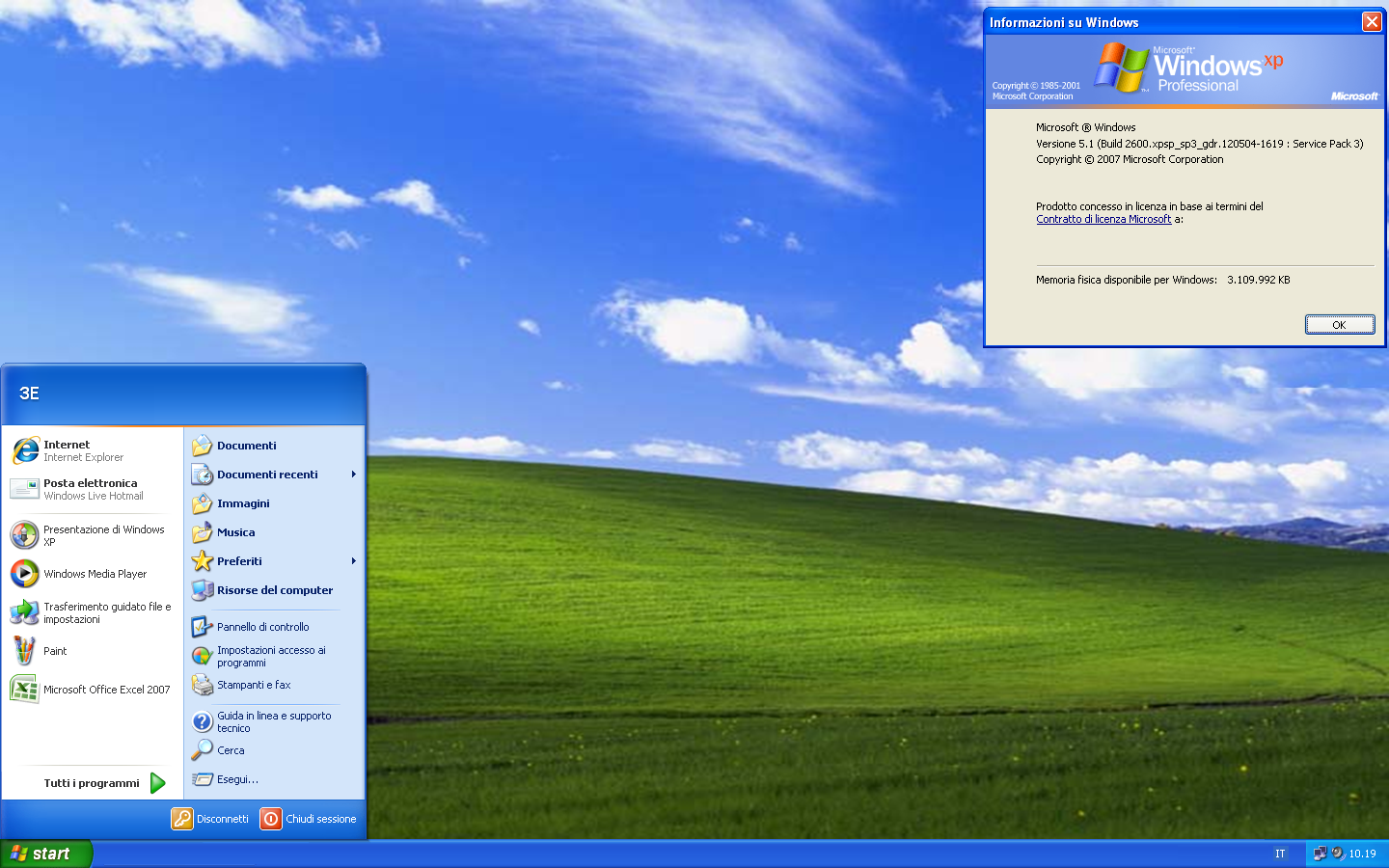
Windows XP Professional Edition x86 (32-bit) is one of the most influential and popular operating systems developed by Microsoft. Released as part of the Windows XP family, it was specifically designed to deliver enhanced performance, improved networking capabilities, and more robust security features for professional and enterprise users.
Thanks to its stability and compatibility with a wide range of software and hardware, Windows XP Professional quickly became the preferred operating system for offices, businesses, and advanced home users. Furthermore, Windows XP Professional x86 offered a more reliable and user-friendly computing environment compared to previous versions of Windows, such as Windows 2000 and Windows ME.
The operating system combined the stability of the Windows NT architecture with a redesigned graphical interface, making everyday computing tasks easier for users. As a result, both novice and experienced professionals benefited from improved system performance and ease of use.
In addition, Windows XP Professional Edition x86 (32-bit) provided powerful networking and management tools, which are particularly valuable in enterprise environments. For example, features like domain joining, Remote Desktop, advanced security settings, and improved file management helped organizations manage their computers more efficiently.
Key Features of Windows XP Professional x86 (32-bit):
Windows XP Professional x86 includes a wide range of features that enhance productivity, security, and overall system performance. Here are some of its key capabilities:
Advanced Networking Capabilities:
First, Windows XP Professional provides robust networking support for both small businesses and large enterprises. By allowing computers to join a Windows domain, administrators can more efficiently manage multiple systems within a network. This enables businesses to enforce policies, control user access, and share resources across the network.
Remote Desktop Functionality:
Another important feature is Remote Desktop, which allows users to connect to their computers from another device over the network or the internet. Therefore, professionals can access files, applications, and system resources remotely without needing to be physically present at the workstation.
Enhanced Security Features:
Windows XP Professional x86 includes several security tools designed to protect systems from unauthorized access and malware. For example, it includes the Windows Firewall, encrypted file systems, and user account permissions. These security mechanisms help protect sensitive data and maintain system integrity.
NTFS File System Support:
Furthermore, Windows XP Professional supports the NTFS file system, which offers improved reliability, security, and performance. With NTFS, users can apply file permissions, enable encryption, and manage large volumes more efficiently.
Offline Files and Folder Redirection:
Another useful feature is Offline Files, which allows users to access network files even without an internet connection. This feature is especially helpful for mobile users who work on laptops and need to access their files while traveling.
Multiple User Accounts:
Windows XP Professional supports multiple user accounts on the same computer. Therefore, different users can log in with their own settings, files, and application preferences.
Automatic System Updates:
In addition, the operating system includes automatic updates. This feature ensures the system receives important security updates and software improvements.
What’s New in Windows XP Professional (32-bit)?
With the release of Windows XP Professional, several significant improvements were introduced compared to previous Windows operating systems.
Improved Graphical User Interface:
One of the most notable improvements was the redesign of the graphical user interface, known as “Luna.” This interface featured brighter colors, improved menus, and a more organized Start menu. As a result, users could navigate the system more easily and efficiently.
Faster Startup and Shutdown:
Another improvement was faster system startup and shutdown. Thanks to Microsoft’s improved management of operating system resources, users experienced faster system response compared to previous versions of Windows.
Improved Hardware Compatibility:
Windows XP Professional also offered improved hardware compatibility. Installing and configuring printers, scanners, graphics cards, and other devices became simpler.
Improved Device Management:
In addition, the updated Device Manager made it easier to monitor, troubleshoot, and repair hardware components. As a result, users could quickly identify and resolve hardware problems.
Wireless Networking Enhancements:
Wireless networking support has been improved in Windows XP Professional. As a result, users can easily connect to Wi-Fi networks and manage wireless connections through a simplified interface.
System Restore:
Another important new feature is System Restore, which allows you to restore your computer to a previous working state. Therefore, if a problem arises after installing programs or drivers, the system can be restored without losing personal files.
You can also Download:
System Requirements for Windows XP Professional x86 (32-bit)
Before installing Windows XP Professional x86, it is important to ensure that your computer meets the minimum system requirements.
Minimum System Requirements:
- Processor:
233 MHz processor (300 MHz recommended) - RAM:
Minimum 64 MB (128 MB recommended) - Hard Disk Space:
1.5 GB of available hard disk space - Graphics Card:
Super VGA graphics card (800 x 600) - Optical Drive:
CD-ROM or DVD-ROM drive - Input Devices:
Microsoft-compatible keyboard and mouse - Internet Access:
Required for updates and online features
Because these requirements are relatively low by today’s standards, Windows XP Professional ran efficiently on many computers available at the time of its release.
Advantages and Disadvantages of Windows XP Professional x86:
Advantages:
First, Windows XP Professional offers excellent stability and reliability thanks to its NT-based architecture. Consequently, the operating system is less prone to errors compared to previous versions of Windows intended for general users.
Secondly, it offers advanced networking and remote access features. Therefore, businesses can manage networked computers more effectively.
Thirdly, Windows XP Professional supports a wide range of hardware and software. As a result, users enjoy robust compatibility with both older and newer software.
Furthermore, the operating system includes useful administrative tools such as Group Policy Management, encrypted file systems, and remote desktop access.
Disadvantages:
However, Windows XP Professional has some limitations. First, Microsoft officially ended support for Windows XP in April 2014. Consequently, the system no longer receives security updates.
Secondly, the 32-bit architecture limits memory usage to approximately 4 GB of RAM. Therefore, it cannot take full advantage of the capabilities of modern hardware.
Thirdly, many modern applications and drivers are no longer compatible with Windows XP. As a result, users may experience difficulties running newer software.
Finally, the operating system lacks the modern security technologies found in more recent versions of Windows.
Additional Features and Capabilities:
Fast User Switching:
Windows XP Professional allows multiple users to switch accounts without logging off. This enables users to quickly access their accounts while keeping other sessions active.
CD Burning:
Another useful feature is the built-in CD burning function. Users can easily create CDs directly from the operating system without installing any additional software.
Enhanced Help and Support Center:
The operating system also includes a comprehensive Help and Support Center.
Homepage: https://windowstan.info/
1 comment