Windows 7 Enterprise Latest Version
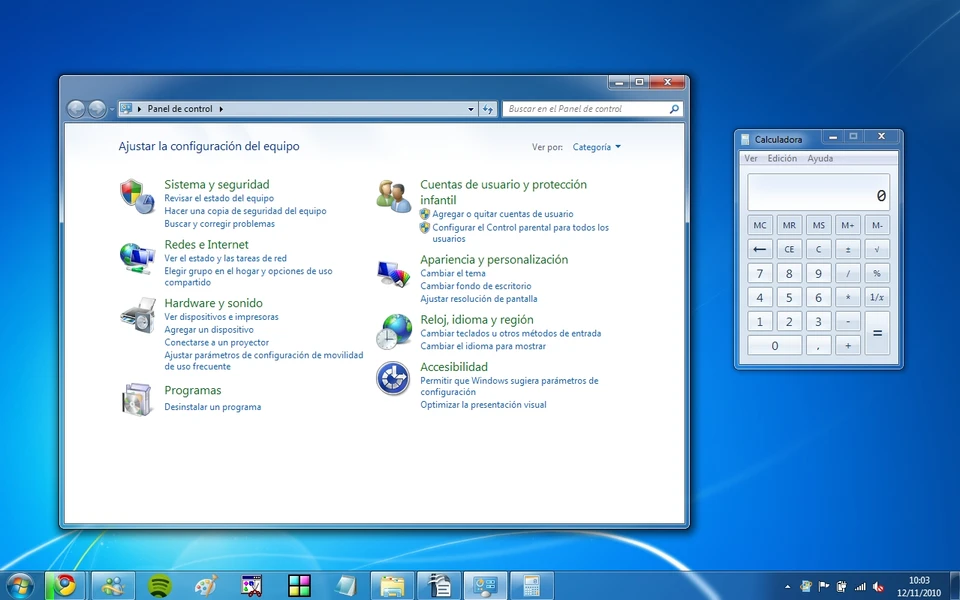
Windows 7 Enterprise is one of the most powerful and stable operating systems Microsoft has released for business and professional environments. Initially launched as part of the Windows 7 family, it was specifically designed to offer advanced security, networking, and management features.
Windows 7 Enterprise has been widely adopted by organizations and IT professionals for enterprise systems and enterprise-level computing environments. Furthermore, Windows 7 Enterprise offers an intuitive and highly reliable interface while maintaining high performance and excellent compatibility.
Unlike previous operating systems, this version offers greater system stability, enhanced productivity tools, and more robust data protection capabilities. Therefore, many businesses prefer this version for managing large networks and protecting sensitive information.
In addition, Windows 7 Enterprise includes several advanced technologies not available in the standard versions for the average user. For example, features such as BitLocker drive encryption, DirectAccess, and AppLocker provide greater control and security for enterprise networks.
Key Features of Windows 7 Enterprise:
1. BitLocker Drive Encryption:
Windows 7 Enterprise includes BitLocker Drive Encryption, which helps protect sensitive data from unauthorized access. This feature encrypts entire drives, ensuring data security even in the event of device loss or theft. Administrators can also manage encryption policies across multiple devices.
2. DirectAccess:
Another important feature is DirectAccess. With this feature, remote employees can securely connect to company networks without using traditional VPN solutions. As a result, companies can maintain continuous connectivity while simplifying remote access management.
3. AppLocker:
AppLocker also allows administrators to control which applications can run on company computers. This feature enhances system security by preventing the execution of unauthorized or malicious programs. Therefore, organizations can reduce security risks and maintain a secure environment.
4. Branch Office Caching:
Branch office caching improves network performance by allowing remote offices to store frequently accessed files. This enables employees to access data more quickly without having to repeatedly download it from a central server. This feature significantly increases productivity in distributed office environments.
5. Advanced Group Policy Management:
Windows 7 Enterprise also supports advanced Group Policy controls. Using these policies, administrators can configure system settings, manage user permissions, and enforce security standards across large networks. As a result, system administration becomes more efficient and centralized.
6. Multilingual User Interface (MUI):
Another useful feature is the multilingual user interface. This functionality allows users to switch between different languages without reinstalling the operating system. Therefore, multinational organizations can deploy Windows 7 Enterprise using various templates.
What’s new in Windows 7 Enterprise?
Windows 7 Enterprise offers several improvements over previous versions of Windows, especially Windows Vista.
Improved Performance and Stability:
First, Windows 7 Enterprise significantly improves system performance. Boot times are faster, and the system is more responsive overall. As a result, users enjoy a smoother multitasking experience and better resource utilization.
Enhanced Security Features:
In addition, Microsoft introduced more robust security technologies. For example, improvements to BitLocker, AppLocker controls, and enhanced firewall settings provide more comprehensive protection against cyber threats.
Improved Device Compatibility:
Windows 7 Enterprise has expanded its compatibility with modern devices. As a result, organizations can install the operating system on a wider range of devices without compatibility issues.
Improved Networking:
Networking capabilities have also been improved. For example, HomeGroup makes it easier to share files between computers, while DirectAccess enables secure connectivity for organizations.
You may also Download:
System Requirements:
Before installing Windows 7 Enterprise, it is important to ensure that your computer meets the required hardware specifications.
Minimum System Requirements:
- Processor: 1 GHz or faster processor, 32-bit (x86) or 64-bit (x64)
- RAM: 1 GB for 32-bit systems or 2 GB for 64-bit systems
- Storage: 16 GB of free disk space for 32-bit systems or 20 GB for 64-bit systems
- Graphics Card: DirectX 9 compatible graphics card with WDDM 1.0 driver or later
- Display: 800 x 600 resolution
Recommended System Requirements:
- Processor: 2 GHz or faster dual-core processor
- RAM: 4 GB or more
- Storage: 40 GB or more of available disk space
- Graphics Card: DirectX 10 compatible graphics card
- Internet connection for updates and network services
Meeting these recommended requirements ensures smoother performance and better system stability.
Advantages and Disadvantages of Windows 7 Enterprise:
Advantages:
- Robust Security Features:
Windows 7 Enterprise offers advanced security tools such as BitLocker and AppLocker, which help protect sensitive information. - Reliable Performance:
Compared to previous versions of Windows, this system offers better speed, stability, and overall system efficiency. - Advanced Networking Capabilities:
Features such as DirectAccess and BranchCache improve connectivity in enterprise environments. - Enhanced System Management:
Group Policy Management allows administrators to control system settings in large organizations. - Multilingual Support:
The multilingual user interface makes it easy to switch between languages, which benefits global businesses.
Disadvantages:
- Limited Availability:
Windows 7 Enterprise was primarily available through volume licenses, limiting access for individual users. - End of Official Support:
Microsoft ended mainstream support for Windows 7, meaning regular security updates were no longer provided. - Compatibility with Modern Software:
Some modern applications and devices may not be fully compatible with this operating system. - Legacy Security Architecture:
While secure for its time, newer operating systems offer more robust and advanced security technologies.
Additional Features and Enterprise Capabilities:
Enterprise-Level Deployment Tools:
Windows 7 Enterprise includes advanced deployment tools, such as Windows Deployment Services and System Image Manager. These tools enable IT teams to deploy operating systems across multiple systems quickly and efficiently.
Advanced Backup and Restore:
Another useful feature is the built-in backup system. Users can create system images and restore files in case of hardware failure or data loss.
Remote Desktop Support:
Windows 7 Enterprise also includes enhanced remote desktop capabilities. Therefore, administrators can remotely manage systems and troubleshoot issues without needing physical access to the hardware.
Improved Power Management:
In addition, the operating system offers improved power management technologies. As a result, laptops and mobile devices benefit from longer battery life.
Frequently Asked Questions:
What is Windows 7 Enterprise?
Windows 7 Enterprise is a professional edition of Windows 7, designed specifically for businesses and organizations. It includes advanced security, networking, and management features.
Who are the right users for Windows 7 Enterprise?
This edition primarily benefits businesses, IT professionals, and large organizations, thanks to its powerful management and security tools.
Is Windows 7 Enterprise still supported?
Microsoft officially ended support for Windows 7 in January 2020. Therefore, it no longer receives regular security updates.
What makes Windows 7 Enterprise different from other editions?
Unlike Home editions, Windows 7 Enterprise includes features such as BitLocker, DirectAccess, AppLocker, and BranchCache.
Can modern software run on Windows 7 Enterprise?
While many applications still work, some professional software may not.
Homepage: https://windowstan.info/
1 comment